---
title: "Managing IP Addresses"
canonical: https://trickest.com/docs/using-the-app/private-execution-networking/extracting-ip-addresses
description: "View static IP addresses for your fleet, and export the IP addresses recorded for workflow runs."
---
# Managing IP Addresses
## Overview
Trickest provides two ways to work with IP addresses: **static IPs** that are assigned to your fleet in advance, and **run IP exports** for auditing which addresses were used during execution.
## Static IP Addresses
Static IP addresses are an enterprise feature. Contact your account team to have them enabled for your organization.
When static IPs are enabled, review the addresses listed for your fleet before configuring an allowlist. Use the actual assigned addresses rather than assuming a machine count determines the list.
Static IPs are opt-in per execution. When starting a run, you can choose whether to use static IPs or not. If static IPs are not selected, do not assume the run will use the listed static addresses.
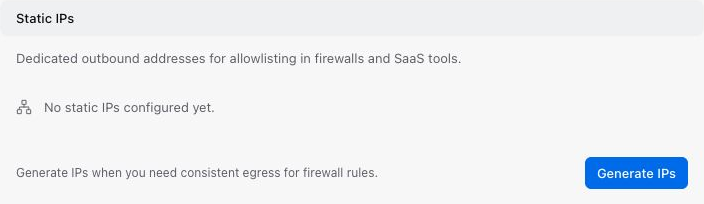
To view your fleet's static IP addresses, open **Settings > Infrastructure > Fleet** and find the **Static IPs** section. All available static IP addresses are listed there. Use the **Copy all** button to copy the full list to the clipboard.
 ## Extracting IPs for an Entire Run
### From the Runs Page
Navigate to the **Runs** page, open the **`...`** action menu on any run, and select **Export IPs**. A popup appears listing all IP addresses used during that run. From there you can copy the addresses to the clipboard or download them directly as a file.
### From the Workflow Editor
Use the full **Runs** page and select **Export IPs** for the execution you want. The compact editor sidebar does not offer the same actions as the full list.
## Exporting from a Node Inspector
The node inspector also provides **Export data > Export IP Addresses** when a run is selected. This opens the same run-level export: it does not filter addresses to the selected node or task. Use the recorded run context to identify which execution the export belongs to.
---
_Markdown source of https://trickest.com/docs/using-the-app/private-execution-networking/extracting-ip-addresses._
## Extracting IPs for an Entire Run
### From the Runs Page
Navigate to the **Runs** page, open the **`...`** action menu on any run, and select **Export IPs**. A popup appears listing all IP addresses used during that run. From there you can copy the addresses to the clipboard or download them directly as a file.
### From the Workflow Editor
Use the full **Runs** page and select **Export IPs** for the execution you want. The compact editor sidebar does not offer the same actions as the full list.
## Exporting from a Node Inspector
The node inspector also provides **Export data > Export IP Addresses** when a run is selected. This opens the same run-level export: it does not filter addresses to the selected node or task. Use the recorded run context to identify which execution the export belongs to.
---
_Markdown source of https://trickest.com/docs/using-the-app/private-execution-networking/extracting-ip-addresses._