---
title: "Collect New HackerOne Reports on a Schedule"
canonical: https://trickest.com/docs/using-the-app/connectors/recurring-collection
description: "Persist a report cursor across workflow runs, reject incomplete batches, and retain a replay window."
---
# Collect New HackerOne Reports on a Schedule
Build a recurring collector for one HackerOne program. It writes newly seen reports to a run artifact and advances a persistent checkpoint only after that artifact's producing node has completed. This example collects reports; it does not send notifications.
## Before you start
You need a working [HackerOne connector](/docs/using-the-app/connectors/hackerone), Enterprise workflow access, a fleet and an account permitted to read and update a dedicated workspace variable through the Variables API. Use a program and a starting date that fit the initial collection limit.
Keep this workflow as the checkpoint's **only writer**. Do not overlap manual and scheduled runs, duplicate the workflow with the same state ID, or let another process update that variable. The Variables API does not provide an atomic compare-and-swap for this example; its drift check is not a lock.
## Create the persistent state
In the intended workspace's Variables page, create `DOCS_H1_SYNC_STATE` with this JSON value. Replace the program and starting timestamp:
```json
{"version":1,"program":"YOUR_PROGRAM","since":"2026-10-01T00:00:00Z","seen":[]}
```
List that workspace's variables with `GET /api/workspaces/{workspaceId}/variables` and copy this variable's `id`. Do not select a same-named value from another workspace.
Create the following configuration in the same workflow context:
| Setting | Where | Value |
| --- | --- | --- |
| `SYNC_API_ORIGIN` | Ordinary variable | Your HTTPS Trickest app origin, with no path, query or embedded credentials |
| `SYNC_STATE_ID` | Ordinary variable | The state variable's UUID |
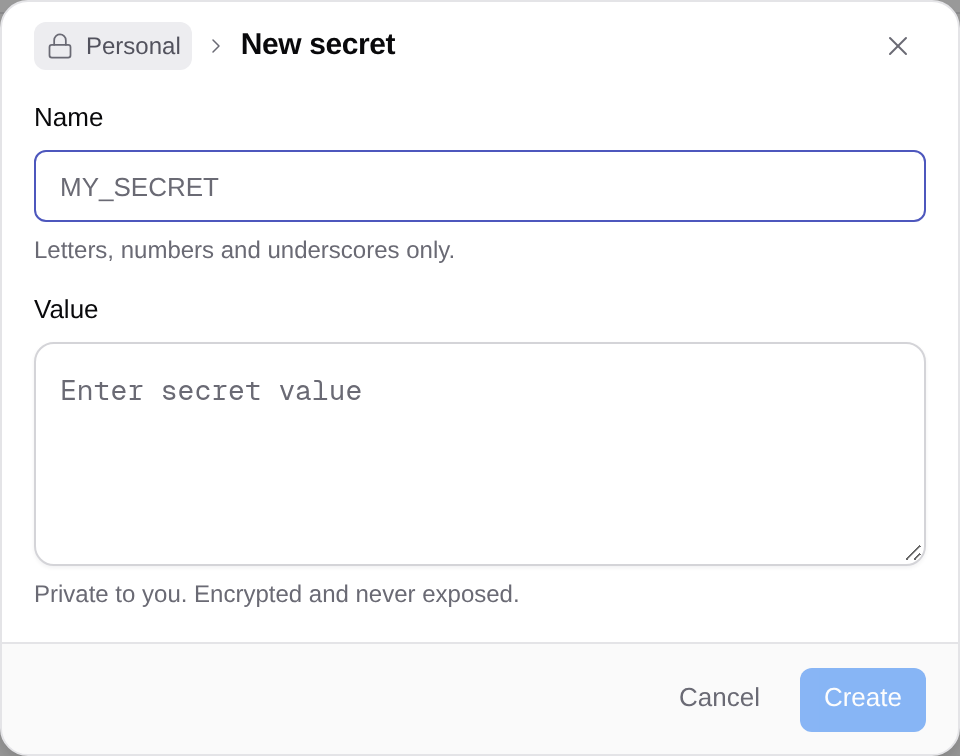
| `SYNC_PLATFORM_TOKEN` | Workspace secret | A Trickest API token whose account can read and update that state variable |
Use [Managing secrets](/docs/using-the-app/workflow-and-executions/managing-secrets) for the token. The collector uses this platform credential only for its checkpoint; HackerOne calls use the separately configured connector.
 ## Build the four-node graph
Download the [recurring collector recipe](/docs/examples/release-1.2.1/recurring-hackerone.agent.json) and use the [Agent preview/apply steps](/docs/using-the-app/connectors/workflow-examples#use-an-agent-recipe). The Agent recipe embeds the [standard-library checkpoint helper](/docs/examples/release-1.2.1/recurring_sync.py); you can inspect it before saving the graph.
```text
load-state ──→ reports ──→ prepare ──→ commit-state
└────────────────────→ prepare
```
| Node | What it does |
| --- | --- |
| `load-state` | Reads the checkpoint from the Variables API; writes `out/output.txt` with program and since, and `out/checkpoint.json` with the original state and collection start time |
| `reports` | Calls HackerOne `list_reports` once for that JSON line, with `program={{item.program}}`, `created_since={{item.since}}`, `limit=1000`, JSON output, and failure on any call error |
| `prepare` | Reads both upstream folders, rejects failed/truncated/malformed results, deduplicates IDs, and writes `out/reports.jsonl` plus the proposed checkpoint in `out/commit.json` |
| `commit-state` | Reads the completed prepare node's folder, checks that the original state has not changed, updates it, then reads it back to confirm |
The helper's `load` and `commit` stages access the platform API. Its `prepare` stage makes no network request. Do not combine `prepare` and the state update into one node: the downstream dependency lets the producing node's output finish before the cursor advances.
## Understand the window and pagination
The HackerOne adapter follows provider pages internally, up to the requested limit and its supported maximum. Its `truncated` flag indicates that the collected set is incomplete. The helper refuses to commit unless that flag is explicitly `false`.
After a complete batch, the next `since` is the collection start time minus a five-minute overlap, or the old cursor if that would be later. The checkpoint retains report IDs in that overlap. Replayed IDs stay out of `reports.jsonl`; duplicates within a batch also collapse to one ID.
This is a creation-time collector. It does not discover later edits to older reports. Five minutes of overlap also cannot guarantee coverage of arbitrarily delayed indexing. Choose a larger window or a source-specific reconciliation process when that matters.
## Test before scheduling
Run the configured workflow once on a recent small interval. Check `prepare/out/reports.jsonl`, its summary, and `commit-state/out/receipt.json`. Compare report IDs with HackerOne and inspect the saved state variable.
Run again after the first execution finishes. Previously retained IDs should not reappear in the overlap. A complete empty response can advance the cursor without inventing records. A failed call, invalid timestamp, unexpected program or truncated response must leave the checkpoint unchanged.
If a window is too large, pause collection and backfill it in reviewed smaller intervals or through an API client with explicit pagination. Do not move the cursor forward merely to get past a truncated batch. Preserve the affected run's evidence and reconcile collected IDs before resetting state.
## Schedule one writer
After the small tests pass, open **Workflow actions > Schedule**, choose an interval longer than the observed execution time, review the fleet and first-run time, then confirm. Keep other runs using this state disabled. An interval is an operating constraint, not a concurrency lock; monitor for overlap and stop it if it occurs.
See [Executing and scheduling workflows](/docs/using-the-app/workflow-and-executions/executing-and-scheduling-workflows) for the browser-local first-run timezone and cancel controls.
## Keep collection and notification receipts separate
Collected report artifacts are the durable input to later processing. Use `(program, report_id)` as the identity when promoting them into a table. A collection cursor is not a Slack delivery receipt.
If you add Slack delivery, keep an outbox and a separate sent-message ledger, retry unsent records, and inspect uncertain sends before replaying them. Do not assume exactly-once delivery across Slack and a checkpoint update. The [single-run summary tutorial](/docs/using-the-app/connectors/reports-to-slack) covers preparing and reviewing a message.
## Recover from an interrupted commit
The checkpoint helper retries bounded reads for rate limiting and temporary gateway failures. It does not automatically retry writes. If a commit times out, read the actual state before retrying or resetting it. Run artifacts remain the evidence for what was collected, including when a later checkpoint step fails.
The downloadable helper has offline tests for replay, empty results, incomplete calls, cursor drift and invalid timestamps. Its live platform/provider calls and schedule have not been executed for this local review.
To turn normalized records into a queryable inventory, follow [Collecting MCP Results into a Live Table](/docs/using-the-app/connectors/collecting-into-live-tables). Keep its indexing checks separate from this collector’s creation-time cursor.
---
_Markdown source of https://trickest.com/docs/using-the-app/connectors/recurring-collection._
## Build the four-node graph
Download the [recurring collector recipe](/docs/examples/release-1.2.1/recurring-hackerone.agent.json) and use the [Agent preview/apply steps](/docs/using-the-app/connectors/workflow-examples#use-an-agent-recipe). The Agent recipe embeds the [standard-library checkpoint helper](/docs/examples/release-1.2.1/recurring_sync.py); you can inspect it before saving the graph.
```text
load-state ──→ reports ──→ prepare ──→ commit-state
└────────────────────→ prepare
```
| Node | What it does |
| --- | --- |
| `load-state` | Reads the checkpoint from the Variables API; writes `out/output.txt` with program and since, and `out/checkpoint.json` with the original state and collection start time |
| `reports` | Calls HackerOne `list_reports` once for that JSON line, with `program={{item.program}}`, `created_since={{item.since}}`, `limit=1000`, JSON output, and failure on any call error |
| `prepare` | Reads both upstream folders, rejects failed/truncated/malformed results, deduplicates IDs, and writes `out/reports.jsonl` plus the proposed checkpoint in `out/commit.json` |
| `commit-state` | Reads the completed prepare node's folder, checks that the original state has not changed, updates it, then reads it back to confirm |
The helper's `load` and `commit` stages access the platform API. Its `prepare` stage makes no network request. Do not combine `prepare` and the state update into one node: the downstream dependency lets the producing node's output finish before the cursor advances.
## Understand the window and pagination
The HackerOne adapter follows provider pages internally, up to the requested limit and its supported maximum. Its `truncated` flag indicates that the collected set is incomplete. The helper refuses to commit unless that flag is explicitly `false`.
After a complete batch, the next `since` is the collection start time minus a five-minute overlap, or the old cursor if that would be later. The checkpoint retains report IDs in that overlap. Replayed IDs stay out of `reports.jsonl`; duplicates within a batch also collapse to one ID.
This is a creation-time collector. It does not discover later edits to older reports. Five minutes of overlap also cannot guarantee coverage of arbitrarily delayed indexing. Choose a larger window or a source-specific reconciliation process when that matters.
## Test before scheduling
Run the configured workflow once on a recent small interval. Check `prepare/out/reports.jsonl`, its summary, and `commit-state/out/receipt.json`. Compare report IDs with HackerOne and inspect the saved state variable.
Run again after the first execution finishes. Previously retained IDs should not reappear in the overlap. A complete empty response can advance the cursor without inventing records. A failed call, invalid timestamp, unexpected program or truncated response must leave the checkpoint unchanged.
If a window is too large, pause collection and backfill it in reviewed smaller intervals or through an API client with explicit pagination. Do not move the cursor forward merely to get past a truncated batch. Preserve the affected run's evidence and reconcile collected IDs before resetting state.
## Schedule one writer
After the small tests pass, open **Workflow actions > Schedule**, choose an interval longer than the observed execution time, review the fleet and first-run time, then confirm. Keep other runs using this state disabled. An interval is an operating constraint, not a concurrency lock; monitor for overlap and stop it if it occurs.
See [Executing and scheduling workflows](/docs/using-the-app/workflow-and-executions/executing-and-scheduling-workflows) for the browser-local first-run timezone and cancel controls.
## Keep collection and notification receipts separate
Collected report artifacts are the durable input to later processing. Use `(program, report_id)` as the identity when promoting them into a table. A collection cursor is not a Slack delivery receipt.
If you add Slack delivery, keep an outbox and a separate sent-message ledger, retry unsent records, and inspect uncertain sends before replaying them. Do not assume exactly-once delivery across Slack and a checkpoint update. The [single-run summary tutorial](/docs/using-the-app/connectors/reports-to-slack) covers preparing and reviewing a message.
## Recover from an interrupted commit
The checkpoint helper retries bounded reads for rate limiting and temporary gateway failures. It does not automatically retry writes. If a commit times out, read the actual state before retrying or resetting it. Run artifacts remain the evidence for what was collected, including when a later checkpoint step fails.
The downloadable helper has offline tests for replay, empty results, incomplete calls, cursor drift and invalid timestamps. Its live platform/provider calls and schedule have not been executed for this local review.
To turn normalized records into a queryable inventory, follow [Collecting MCP Results into a Live Table](/docs/using-the-app/connectors/collecting-into-live-tables). Keep its indexing checks separate from this collector’s creation-time cursor.
---
_Markdown source of https://trickest.com/docs/using-the-app/connectors/recurring-collection._