---
title: "Self-Hosted Machines"
canonical: https://trickest.com/docs/key-concepts/self-hosted-machines
description: "Understand what runs on your hosts, the access it needs, and how to manage connected workers."
---
# Self-Hosted Machines
## Overview
Self-hosted machines are hosts you connect to Trickest to execute workflow jobs. Use them when jobs need your infrastructure, hardware, or access to an internal network. You remain responsible for the host, its Docker installation, and its network policy.
Community workflows use self-hosted compute. Other plans can use self-hosted fleets where enabled. Check the machine limit shown in Fleet rather than assuming every account has the same capacity.
## What a Self-Hosted Machine Actually Is
The **Trickest execution agent** is a service on the host. It authenticates with machine credentials, receives jobs for its fleet, starts Docker containers, and transfers workflow inputs and outputs. This service is different from the [conversational Agent](/docs/key-concepts/agent/the-agent).
The host needs access to the platform and to the resources its jobs use, including container registries and target services. It is not restricted to communicating only with Trickest. A workflow designed to reach an internal service uses the worker's network access to do so.
## What the Agent Can and Cannot Access
Managing Docker and job containers requires privileged host access. On supported Linux setups, installation uses a system service; macOS uses Docker and its local service setup. Treat the host and credentials as execution infrastructure, and run only tooling and workflows you trust there.
Job containers execute the configured tool or script. The execution agent and its supporting services also run on the host, so containerized jobs should not be interpreted as a promise that nothing runs outside a container.
The standard setup does not require opening a public inbound port for Trickest to initiate a connection. The local driver can use port **2201**; see the setup guide for host requirements. Keep local services protected and allow the outbound connections required by your workflow.
## Machine Lifecycle
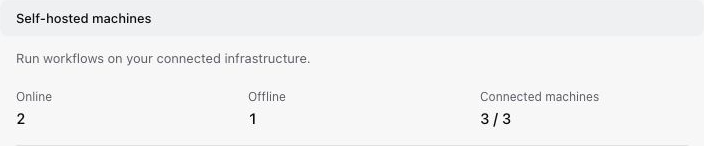
Open **Settings > Infrastructure > Fleet** and look under **Self-hosted machines**.
- **Online** means the worker is connected; it does not guarantee a particular job's dependencies or targets are reachable.
- **Offline** means the worker is not currently connected. Check the service, Docker, credentials, and network connection.
- Disconnected machines are removed after **30 days**, as indicated in Fleet. This is not a requirement to execute a job every 30 days.
- Removing a machine in Fleet does not uninstall software from its host. Stop or uninstall the local service when decommissioning the host.
 ## Next Steps
[Using Self-Hosted Machines](/docs/using-the-app/private-execution-networking/using-self-hosted-machines) covers attaching a host, checking that it is online, and diagnosing connection failures.
---
_Markdown source of https://trickest.com/docs/key-concepts/self-hosted-machines._
## Next Steps
[Using Self-Hosted Machines](/docs/using-the-app/private-execution-networking/using-self-hosted-machines) covers attaching a host, checking that it is online, and diagnosing connection failures.
---
_Markdown source of https://trickest.com/docs/key-concepts/self-hosted-machines._