---
title: "Building Blocks"
canonical: https://trickest.com/docs/key-concepts/building-blocks/introduction
description: "Choose tools, scripts, and reusable modules, then connect their inputs and outputs."
---
# Building Blocks
## What are Building Blocks
Tools, scripts, and modules perform work in a workflow. The editor also uses input nodes and other supporting elements to supply values and organize the canvas. Not every item on the canvas starts a container.
## Building Block Types
| Use | Choose | What you configure |
|---|---|---|
| Run an existing command-line program | [Tool](/docs/key-concepts/building-blocks/tools) | Its declared inputs and options. |
| Write custom processing logic | [Script](/docs/key-concepts/building-blocks/scripts) | Source code, arguments, and file or folder inputs. |
| Reuse a workflow inside another workflow | [Module](/docs/key-concepts/building-blocks/modules) | The inputs exposed by its internal graph. |
Tools use packaged container images. Script nodes provide a language runtime; extra packages and commands must exist in that node's environment. A module groups executable nodes rather than packaging the whole graph into one container.
## How It Works
Use **Add node (+)** in the bottom canvas toolbar to find a tool, script, or module. Configure its inputs, then connect outputs to the nodes that need them.
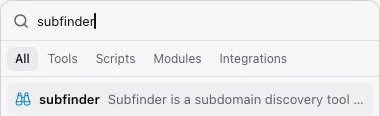 Connections follow input and output types. A file input receives one file, which may contain many records; a folder can contain multiple files and subfolders. Matching the port type does not guarantee matching content: JSON, line-separated text, and CSV still need the format the receiving tool expects.
Nodes whose dependencies are ready can execute in parallel. [Distribution](/docs/using-the-app/workflow-and-executions/distributing-and-scaling-jobs) can split one node's work into multiple tasks; it is separate from adding parallel branches to the graph.
## How It Relates
The **workflow** stores the graph. A **run** records its execution. Open a node in a run to inspect its tasks, console output, and files. Printing text to the console is useful for debugging, but downstream file connections need actual output files.
## Common Patterns
- Connect a discovery tool to a probing tool.
- Insert a script to filter or reshape the output between tools.
- Wrap a repeated process in a module and expose only the inputs its callers need.
## Next Steps
[Build and debug a workflow](/docs/using-the-app/workflow-and-executions/building-and-debugging-a-workflow) for a complete add, connect, run, and inspect sequence.
---
_Markdown source of https://trickest.com/docs/key-concepts/building-blocks/introduction._
Connections follow input and output types. A file input receives one file, which may contain many records; a folder can contain multiple files and subfolders. Matching the port type does not guarantee matching content: JSON, line-separated text, and CSV still need the format the receiving tool expects.
Nodes whose dependencies are ready can execute in parallel. [Distribution](/docs/using-the-app/workflow-and-executions/distributing-and-scaling-jobs) can split one node's work into multiple tasks; it is separate from adding parallel branches to the graph.
## How It Relates
The **workflow** stores the graph. A **run** records its execution. Open a node in a run to inspect its tasks, console output, and files. Printing text to the console is useful for debugging, but downstream file connections need actual output files.
## Common Patterns
- Connect a discovery tool to a probing tool.
- Insert a script to filter or reshape the output between tools.
- Wrap a repeated process in a module and expose only the inputs its callers need.
## Next Steps
[Build and debug a workflow](/docs/using-the-app/workflow-and-executions/building-and-debugging-a-workflow) for a complete add, connect, run, and inspect sequence.
---
_Markdown source of https://trickest.com/docs/key-concepts/building-blocks/introduction._