---
title: "Recon and Vulnerability Scanner with Trickest"
canonical: https://trickest.com/blog/recon-vulnerability-scanner
description: "In just a few steps, create your own recon and vulnerability scanner via Trickest and GitHub and find vulnerabilities and assets easier than ever."
last-updated: 2022-08-19
---
# Recon and Vulnerability Scanner with Trickest
This blog post will demonstrate how to create a synergy between GitHub Actions and [Trickest Platform](https://trickest.com/platform). You only need to push nuclei templates and root domains to the repository and wait for new results!
Check out the GitHub Template Repository to start immediately, or keep reading to see how you can make or customize this one!
## Repository Structure
- `config.yaml` - Config file for trickest-cli (**Set the repository name initially**)
- `domains.txt` - List of root domains (**tld domains list (example.com)**)
- `hostnames.txt` - List of hostnames found for root domains provided (**Updated by the workflow, if updated manually, will be propagated through the entire workflow**)
- `servers.txt` - List of available servers for found hostnames (**Web servers found from hostnames**)
- `reports.txt` - List of vulnerabilities found for found servers (**Vulnerabilities found**)
- `blacklist.txt` - List of strings to exclude from all results (**Blacklist hostnames and servers `grep -vFf`**)
- `templates` (folder) - Place where you push [nuclei](/tools/nuclei) templates (**Folders supported**)
## Setting Up Configuration
### 1. Trickest Token & GitHub Deploy Key
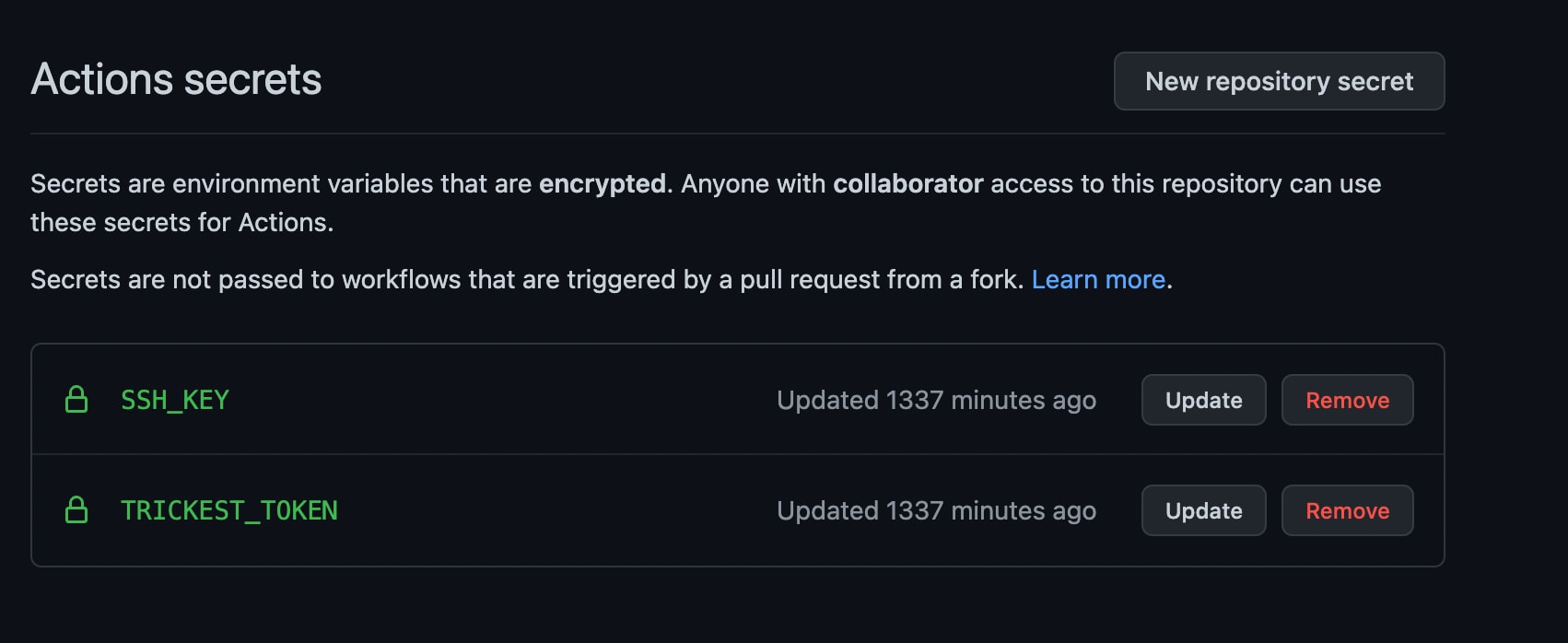
Set up the `TRICKEST_TOKEN` variable to the secrets.
- Create a new repository from the template
- Open [https://github.com/YOUR_USERNAME/YOUR_REPOSITORY/settings/secrets/actions](#)
- Add `TRICKEST_TOKEN`, which can be found at [https://trickest.io/dashboard/settings/my-account](https://trickest.io/dashboard/settings/my-account)
- [Get Access](/demo) if you don't have one!
Set up a GitHub deploy key with write access to your Bug Bounty Setup repository and add the private SSH key to the `SSH_KEY` action secret.
### 2. Config File
Replace `REPOSITORY_NAME` with your GitHub repository name inside the `config.yaml` file.
```yaml
inputs:
string-to-file-1.string: REPOSITORY_NAME
recursively-cat-all-5:
file:
- id_rsa
machines:
large: 1
```
### 3. Root Domains
All of the domains will be picked up automatically by the workflow. You will need to push the new root domain names to the `domains.txt` file.
```bash
echo "trickest.com" > domains.txt
```
### 4. Nuclei Templates
All of the nuclei templates will be picked up automatically by the workflow. Push the new nuclei templates to the `templates` folder.
```bash
cd templates
wget "https://raw.githubusercontent.com/projectdiscovery/nuclei-templates/master/cves/2022/CVE-2022-35416.yaml"
```
### 5. Running the workflow
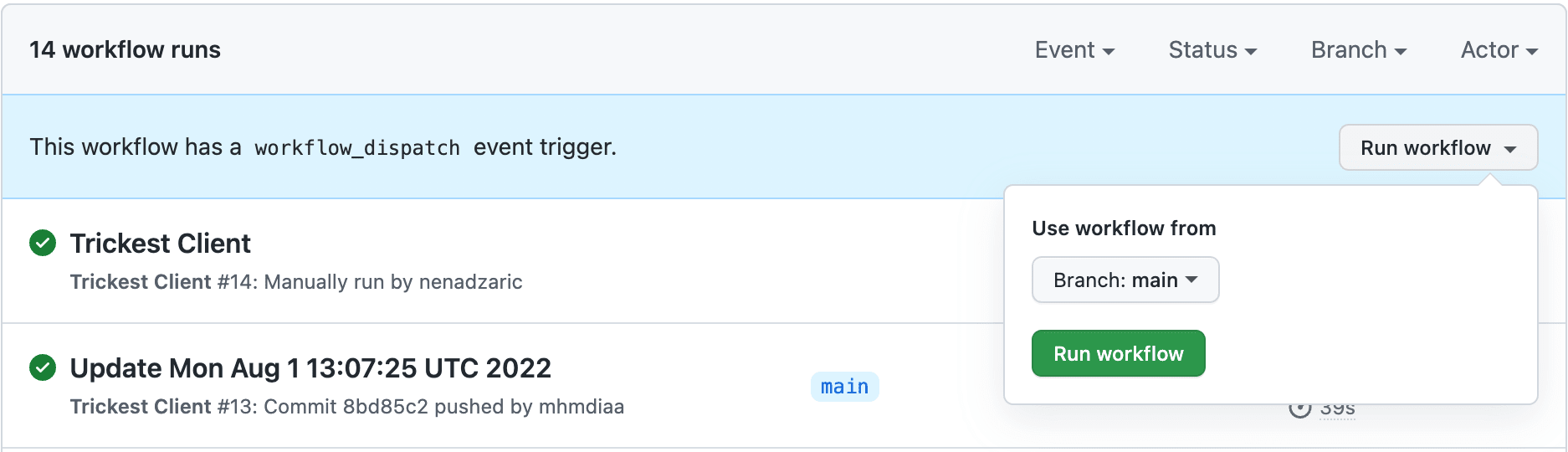
The workflow is triggered on `workflow_dispatch` event; feel free to change the trigger the way it suits the best your use case.
## Workflow Building
### 1. Workflow Repository Setup
Initially, you need to gather the data about the repository:
- String inputs are colored purple, and you need to connect your repository name and email to the `string-to-file` (this file will be used as a variable value when cloning the repository inside of `get-repo-data`)
- `id_rsa` is directly uploaded through the client/workflow and is used when cloning the repository
> NOTE: Keep in mind that out/output.txt is reserved for the output file port, so you can cat the content of `domains.txt` to `out/output.txt` to be available for `Amass` and `SubFinder`.
>
### 2. Passive Recon
Now that you have your root domains, you should use `SubFinder` and `Amass` to get all of the results from passive sources. Their outputs will be merged through `recursively-cat-all-1` with additional `sort -n | uniq`, which will cat and deduplicate your results.
### 3. Active Recon
This part consists of getting all the results from Passive Recon and then:
- Executing dsieve with the `2:4` flag for subdomain levels to get all of the environments
- Executing mksub to create a wordlist of potential hostnames
- Resolving with puredns
- Executing found brute-forced hostnames permutations with gotator
- Resolving gotator with [puredns](/tools/puredns)
### 4. Servers and Scan
Finally, you've got your hostnames for this run, and now you can pass it to httpx to get all of the web servers. `get-repo-data` node will provide you with the nuclei templates you already pushed to the repository.
### 5. Push The Results
Finally, the `update` node will get the data and push it to the repository.
Integrations are a crucial part of Attack Surface Management, check out [our post](https://trickest.com/blog/picking-attack-surface-management-solution#integrations) on how to pick the right one.
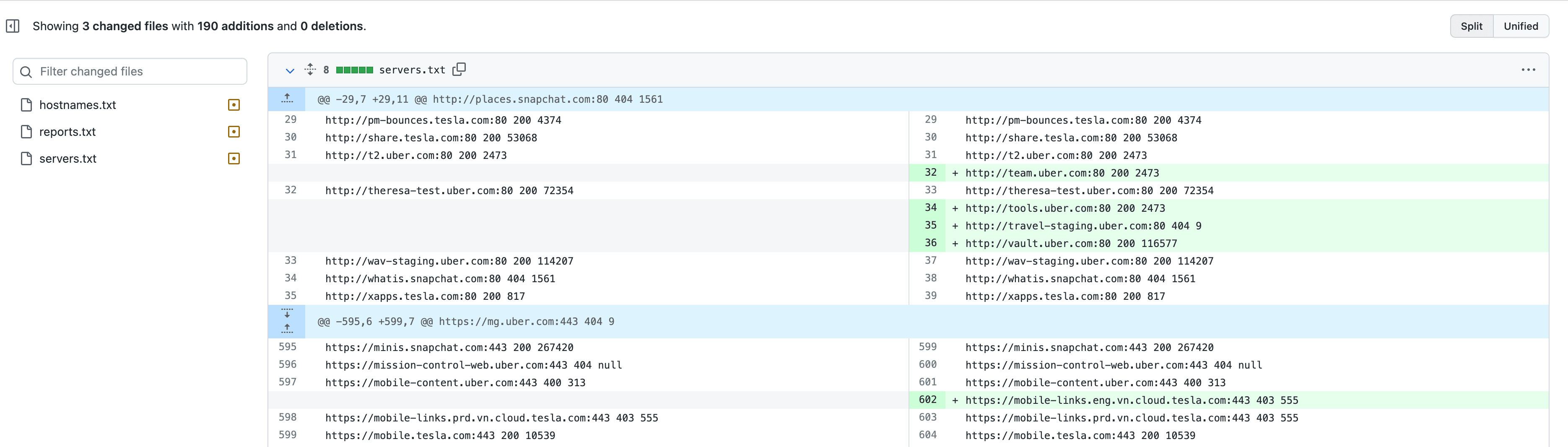
## Did somebody say diffs?
Commit messages will show what is changed, which means you will have an insight into all the new data (vulnerabilities). How awesome is that!
## Conclusion
This is just one example of a synergy between Trickest and GitHub. [Set up a meeting with our team](https://trickest.com/demo) today and set up your repository for asset discovery and continuous vulnerability scanning
of your infrastructure. It is that easy, right?
---
_Markdown source of https://trickest.com/blog/recon-vulnerability-scanner._